 vapora
Explore the network
Open a saved run in Results, then select Network for a compact preview. Choose Maximize view to explore inside Vapora. Restore view returns to the preview without losing filters, selection or zoom. The graph is built only when opened.
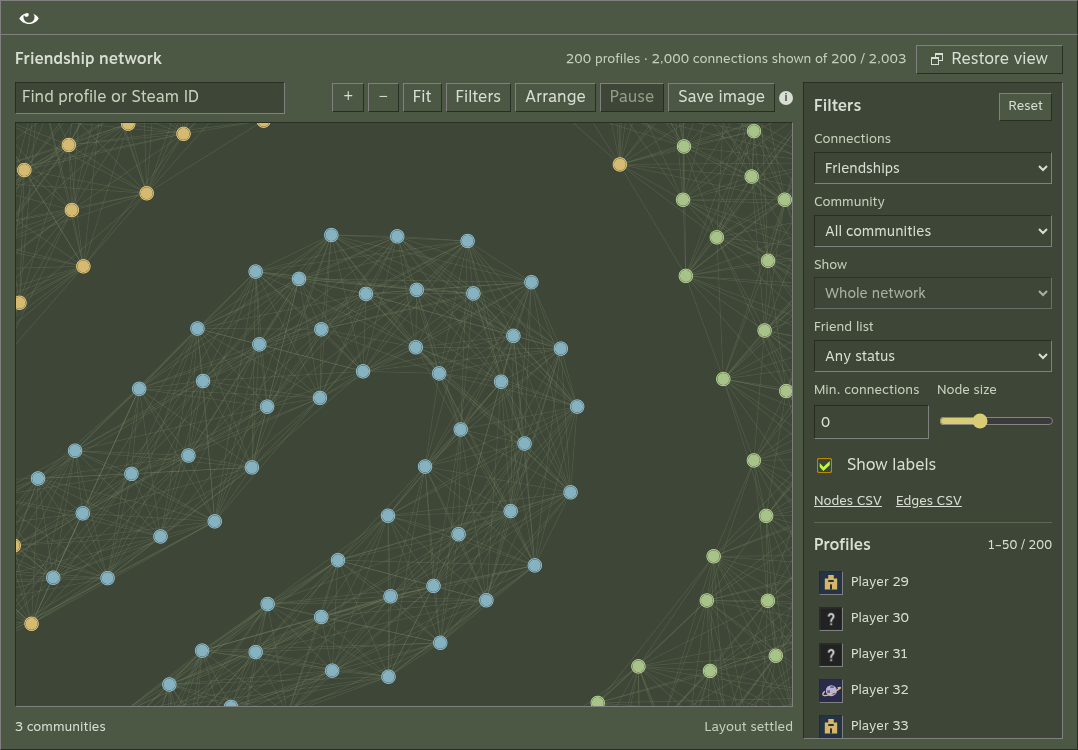
Find and inspect an account
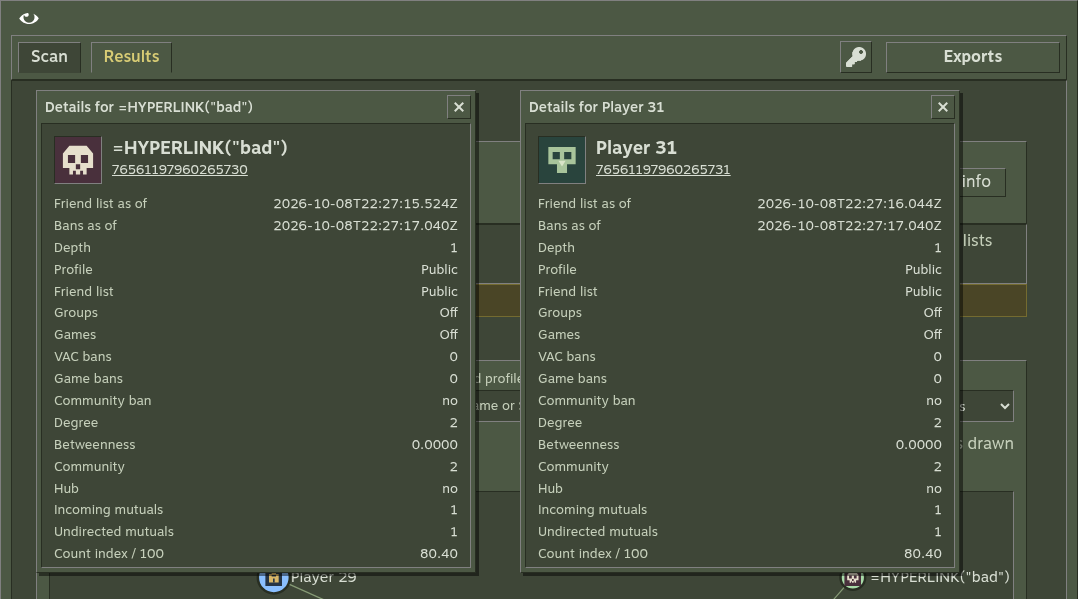
Search by name or Steam ID. Select an entry in the Profiles list or a graph node, then choose Details. Each node uses its saved profile picture; missing pictures use the local placeholder. The inspector shows its Steam link, avatar, collection depth, visibility, ban observations, signal availability, degree, betweenness, community and hub status. Missing ban data is different from confirmed ban records.
Read the graph
| Metric | Meaning in the collected friendship graph |
|---|---|
| Degree | Number of connected friendship edges |
| Betweenness | Normalized shortest-path centrality |
| Community | Louvain grouping of admitted friendship links |
| Hub | Positive betweenness at or above the configured percentile |
Community colors describe detected clusters; they do not identify real-world groups. When betweenness is zero across the graph, there are no hubs. Optional group links are separate from friendship metrics.
Explore and export
| Control | Action |
|---|---|
| Connections | Show friendships, shared-group links or both |
| Community / Friend list | Limit the view by cluster or collection status |
| Show | Inspect the selected account's direct neighbours or two hops |
| Min. connections | Keep profiles with at least this many links of the selected type in the collected graph |
| Node size / Show labels | Adjust how profiles appear |
| Arrange / Pause | Run or stop the layout worker |
| Save image | Download the current view as a PNG |
| Nodes CSV / Edges CSV | Download graph data for Gephi |
Search highlights matches without hiding other profiles. Selection highlights its connections; the footer counts links visible under the current filters. Group links stay separate from friendship centrality.
Drag a node to pin its position. Choose Unpin to let it move during the next arrangement. Drag empty space to pan, use the wheel or + / − to zoom, and choose Fit to reset the camera. The Profiles list supports keyboard selection; with the graph focused, use arrow keys to pan and Enter for Details.
Layout pauses while Network is hidden and resumes when you return if it was still running. A manual pause stays paused. Large or dense graphs can still render slowly; hide labels, use filters or pause layout. Pictures load only when their circles are large enough to read. Exploration uses saved observations and makes no new Steam API requests.
Compare coverage first
Graph metrics use admitted accounts and observed friendship edges. Ranking can include direct friends outside the admitted graph. A node cap or unavailable list changes the measured graph; compare runs only with that context. See privacy and coverage.
Compare details
Each Details button opens an independent window. Keep several open to compare profiles or records. Drag a title bar, or focus it and use the arrow keys, to move the window. Escape closes the focused window.