 vapora
Your first scan
Before you begin
Install Vapora and set an API key. Choose a Steam account whose public network you want to inspect.
1. Verify the target
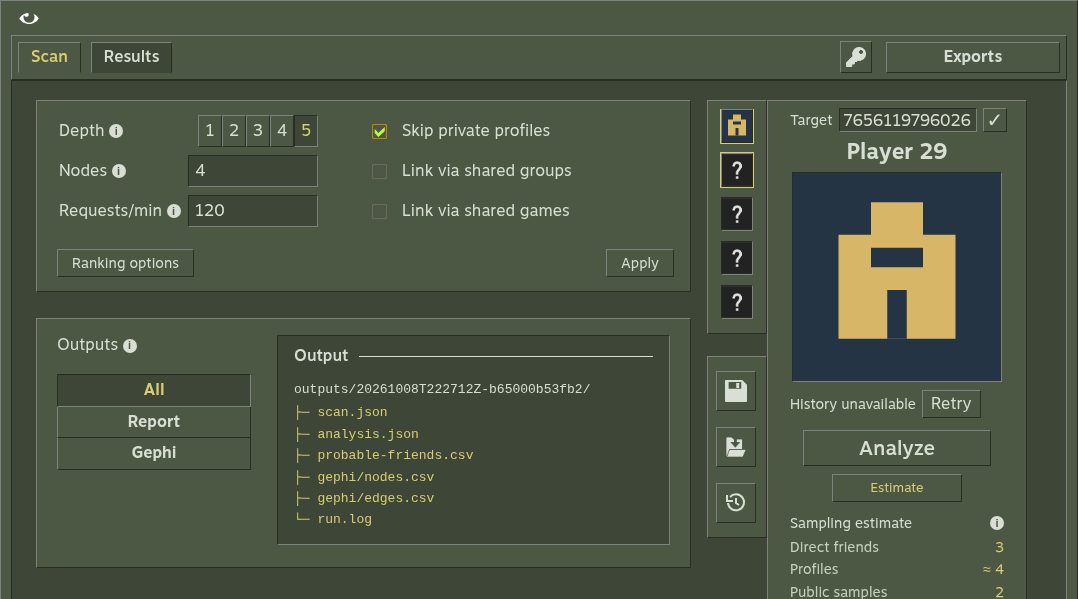
In Scan, enter a profile URL or SteamID64. Use the check button to fetch its name and avatar without starting a scan. Typing alone makes no Steam requests. A verified account can load account history independently; history failures do not block the scan.
| Input | Example |
|---|---|
| Vanity URL | https://steamcommunity.com/id/example |
| SteamID64 URL | https://steamcommunity.com/profiles/76561198000000000 |
| SteamID64 | 76561198000000000 |
These are illustrative identifiers; replace them with your target. For numeric vanity names, use /id/NAME explicitly.
2. Bound the scan
Use depth 1, node cap 100 and requests/min 120 for this first run. Leave groups and games off. Depth 1 admits the target and direct friends. The cap includes the target.
Select Estimate. It samples at most five friend lists and respects the cap; it is not a promise of final coverage.
3. Analyze
Select Analyze and watch the progress. Vapora saves checkpoints after completed scan units. If you cancel, reopen the saved run and resume it later.
4. Read the result
Open Results. Inspect the friend ranking and coverage, then open Network, choose Maximize view and select a node. Notice the distinction between admitted profiles, ranking candidates and unavailable observations.
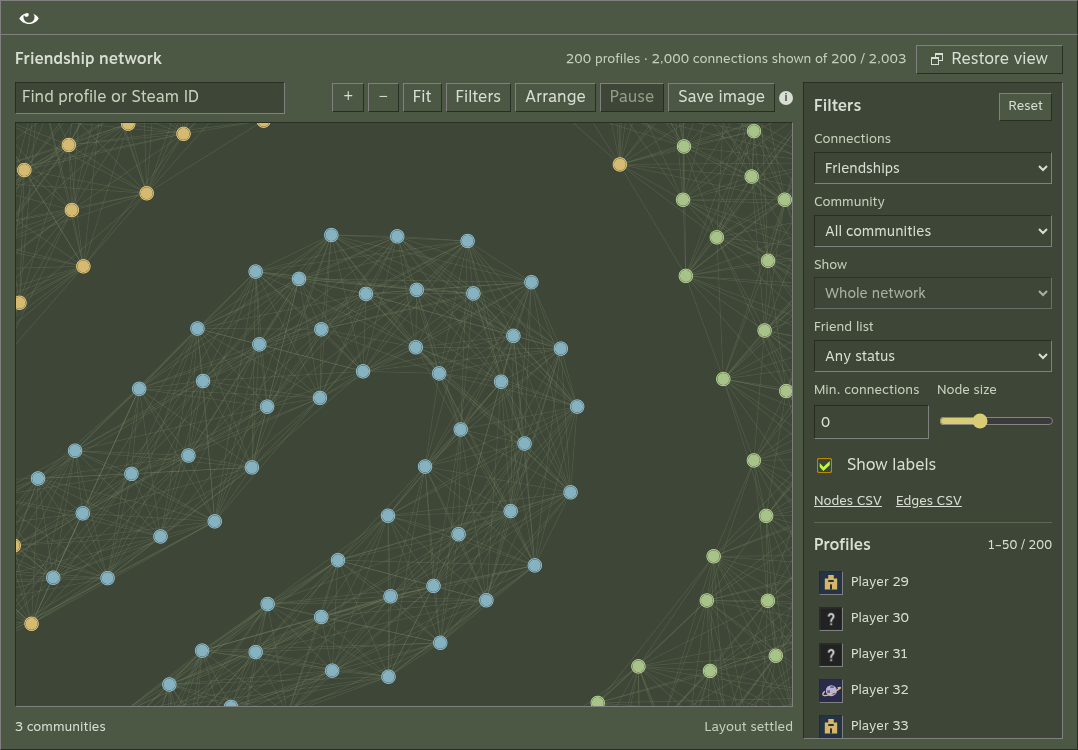
A small or private network may have few usable links. This describes collection coverage, not an absence of friendships.
5. Keep the output
Open Exports. Desktop can open the output folder; browser mode provides downloads. A completed run contains scan.json, analysis.json, probable-friends.csv, run.log and Gephi CSVs. Attached history adds history.json.
You now have a saved run you can reopen, rerank and export without collecting again. Continue with network exploration, scoring or Gephi.